What if your next data analysis tool or lifestyle tracker could be built in less time than it takes to brew your coffee?
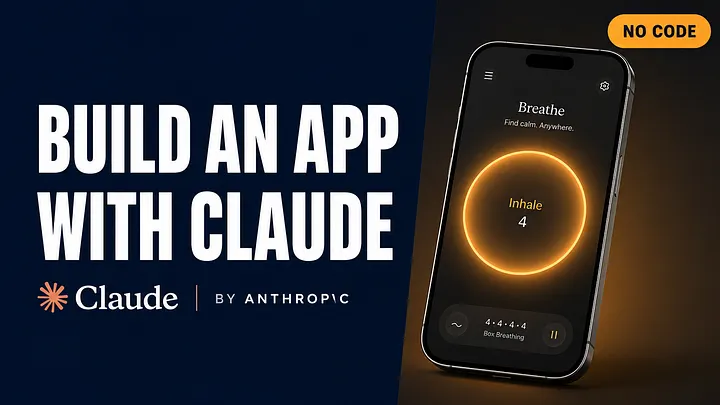
That’s the magic of Claude Artifacts — Anthropic’s game-changing feature that lets you create interactive, AI-powered apps directly inside the Claude interface. No coding required.

Whether you’re a founder crunching sales data or someone tracking daily nutrition, Claude turns your ideas into working software instantly.
In this guide, I’ll walk you through two real mini-apps you can build today — complete with the exact prompts — plus how to use Artifacts from start to finish.
What Are Claude Artifacts?
Claude Artifacts are interactive panels where Claude can generate and run apps, tools, and documents based on your natural-language instructions. You can:
- Upload files like CSVs, PDFs, or images
- Build dashboards, calculators, and trackers
- Ask Claude to analyze and visualize your data
- Interact with the results live in the same interface
Everything runs inside Claude — no hosting, no app store, no dev setup.
🔍 How to Use Claude Artifacts
- Log in to claude.ai/new
— Artifacts work for Free, Pro, and Max users.

- Open a new chat
— Type your request to create an Artifact or paste one of the prompts above.

2. Watch Claude generate the app
— The Artifact panel will appear on the right with your interactive tool.


3. Upload files or start typing data
— For the CSV Analyzer, upload your .csv.
– For the Calorie Tracker, start logging your meals.


4. Interact live
— Ask follow-up questions, refine the logic, or add features in real time.

5. Export your work
— Ask Claude to “export as markdown” or another format so you can reuse it

Project 1: Smart CSV Analyzer
Perfect for entrepreneurs, analysts, or researchers who want quick insights from datasets.
What it does:
- Previews the first 5 rows of your CSV
- Summarizes column types, missing values, and trends
- Auto-generates relevant charts (bar, line, histogram)
- Lets you ask natural-language questions about your data and returns answers in text + visuals
Prompt for Smart CSV Analyzer
Copy and paste this into Claude:
I want to build a mini app called “Smart CSV Analyzer.”
When a user uploads a CSV file, the app should:
1. Display the first 5 rows of the dataset.
2. Summarize column types, missing values, and obvious trends.
3. Generate relevant visualizations (bar charts, line graphs, histograms) based on the dataset.
4. Allow the user to ask custom questions about the dataset in natural language and respond with text and visual answers.
All of this should run inside an interactive Claude Artifact.

🥗 Project 2: AI-Powered Daily Calorie Tracker
A fast, privacy-friendly way to log meals and keep track of your calorie intake.
What it does:
- Lets you enter meals/snacks in plain English
- Looks up and displays calorie counts for each item
- Shows a running daily total + a bar chart by meal type
- Suggests lower-calorie swaps if you exceed your goal
- Lets you reset for a new day
Prompt for AI-Powered Daily Calorie Tracker:
Copy and paste this into Claude:
I want to create an interactive app inside this Artifact called “AI-Powered Daily Calorie Tracker.”
Requirements:
1. Text input for entering meals/snacks in plain English.
2. Look up calories for each item and show total calories for the meal.
3. Keep a running daily total and display a bar chart by meal type.
4. If the daily total exceeds the set goal (default 2,000 calories), suggest 2–3 lower-calorie swaps for the heaviest meal.
5. Allow the user to adjust the daily calorie goal and reset for a new day.The UI should be simple, clean, and mobile-friendly.
Show the daily total prominently at the top.

Limitations to Know
While Claude Artifacts are powerful, they have some constraints:
- No external APIs: Artifacts rely on Claude’s internal knowledge, so they can’t pull live data (e.g., real-time stock prices).
- No persistent storage: Apps reset between sessions unless exported, so they’re best for prototyping or single-use tools.
- Occasional bugs: Iterative edits to complex Artifacts may cause glitches, so save your work frequently.
These make Artifacts ideal for quick builds or personal tools but less suited for production-grade apps.
Why This Matters
Both the Smart CSV Analyzer and AI-Powered Daily Calorie Tracker show the range of what you can build with Claude Artifacts:
- For business — analyze datasets, generate reports, and make faster decisions.
- For lifestyle — build lightweight, private tools that save time and help you stay on track.
Because they’re no-code, you focus on what you want the tool to do, not how to code it. Claude handles the heavy lifting.
Final Thoughts
Claude Artifacts are more than just a feature — they’re a content and productivity multiplier.
With the right prompt, you can turn an idea into an app in minutes, whether that’s for your business, personal life, or side projects.
💡 Pro Tip: Start small. Build one simple Artifact (like the CSV Analyzer) and then tweak the prompt to create new versions. You’ll quickly build a library of AI-powered tools tailored to your needs.
What’s Next?
Want more tips and AI strategies? Subscribe to The AI Entrepreneurs newsletter for weekly tutorials, tools, and hacks to innovate smarter, faster, and better. Join 73K+ readers at AI Entrepreneurs — STANDOUT DIGITAL