Ready to unlock a world of AI-powered fun? Join our newsletter for weekly DIY guides, creative hacks, and exclusive tips from the AI Entrepreneurs: Visual Playground Series! Subscribe Now!
SketchBubble’s AI Presentation Maker helps users create professional presentations from a simple idea or a PDF upload.

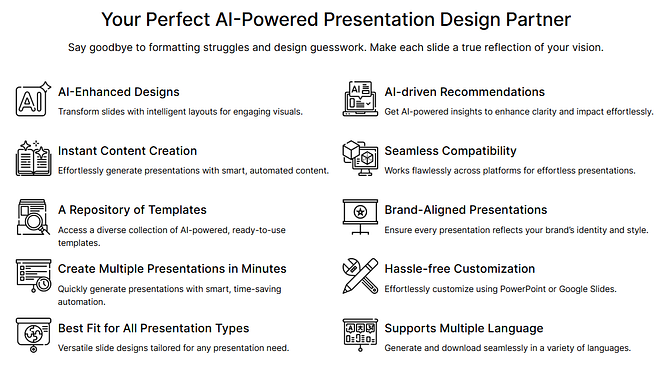
Powered by AI-driven recommendations, instant content generation, and a library of over 200,000 templates, it’s an ideal tool for entrepreneurs, marketers, educators, and creators who need visually appealing presentations fast.
Key Features
- Automatically generates slide layouts, text, and visual elements
- Access to 200,000+ ready-made templates
- Exports to PowerPoint, Google Slides, and PDF
- Fully customizable themes, colors, and typography
- Designed for entrepreneurs, educators, and corporate teams
How It Works
Creating a presentation with SketchBubble AI takes just a few minutes.

Step 1: Describe your idea or upload a document
Start on the main dashboard and click “Generate Presentation.”
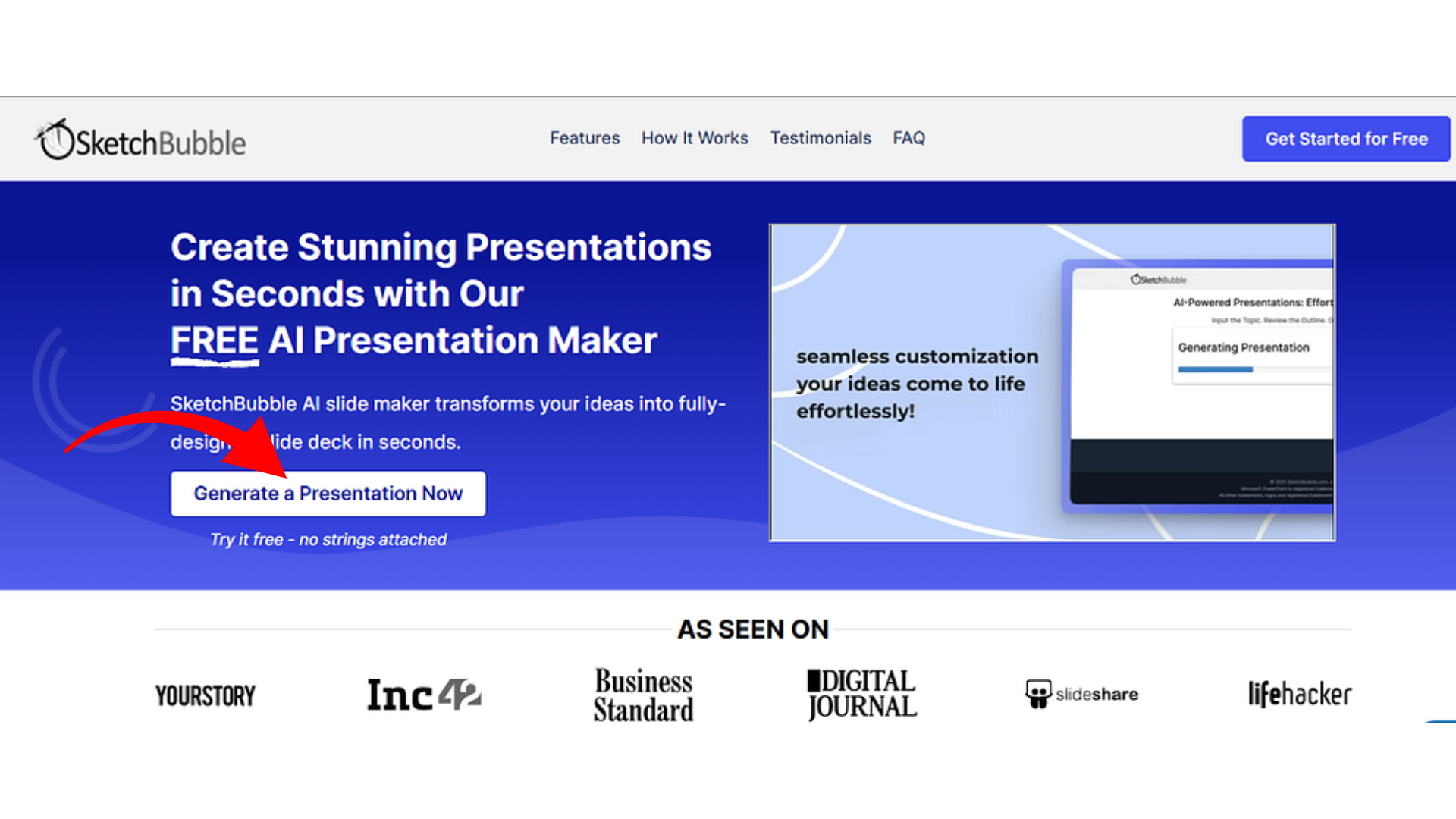
- Write a brief description (up to 3,000 characters) or upload a PDF/Word file.

- Choose the number of slides (3–15) depending on the depth you want.
- Select your preferred language — the tool supports all major ones.
Step 2: Review the outline and select a theme
SketchBubble instantly generates an outline with suggested slide titles.

- Edit, add, or reorder sections as needed.
- Browse hundreds of themes categorized by color, style, and popularity.
- Pick the look that fits your tone — minimal, business, colorful, or creative.
Step 3: Generate and export
Click Generate and watch as AI designs your entire deck.

- Slides include text, headings, and visuals arranged in a clean layout.
- You can change themes anytime without losing content.
- Export to PowerPoint, Google Slides, or PDF, and everything remains fully editable.
Short topics finish in under a minute; longer documents take around five.
Use Cases
To see how flexible the tool is, test it with different kinds of prompts.
AI Startup Pitch Deck
Create a sleek investor presentation for NeuraLink Health, an AI-powered mental-wellness startup. Include slides for mission, product overview, technology stack, market opportunity, business model, and roadmap.
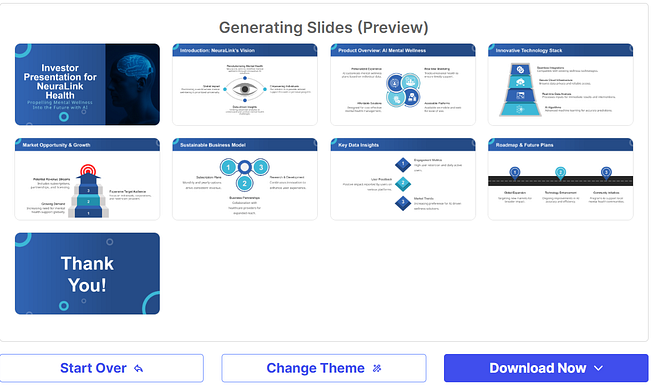
→ Result: a clean, futuristic layout that looks ready for investors.
Educational Lesson Plan
Design a classroom presentation on The Role of AI in Climate Change Solutions.
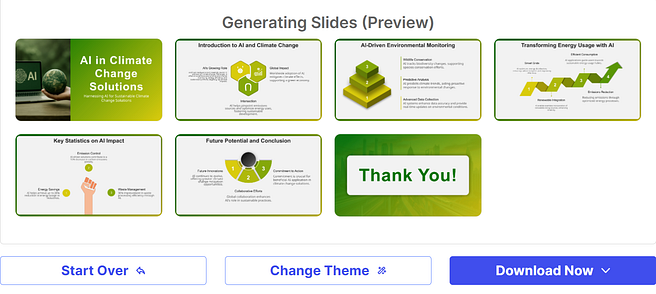
→ Result: clear, engaging slides with short text and educational visuals.
Marketing Campaign Overview
Build a marketing deck for EcoSmart Wearables, showing how the brand merges sustainability and AI.
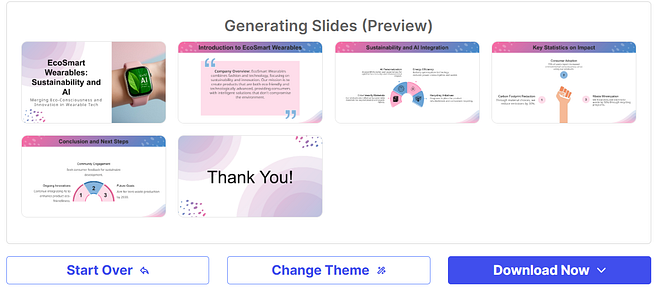
→ Result: earthy colors, clean infographics, and a brand-friendly layout.
Business Strategy Roadmap
Generate a 2026 roadmap for DataEdge Analytics covering KPIs, AI integration, and product plans.
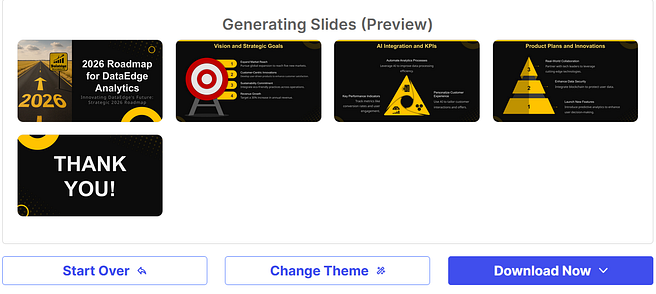
→ Result: professional executive slides suited for internal strategy meetings.
Creative Portfolio Showcase
Create a portfolio for Luna Visual Studio featuring AI-generated art and digital concept designs.
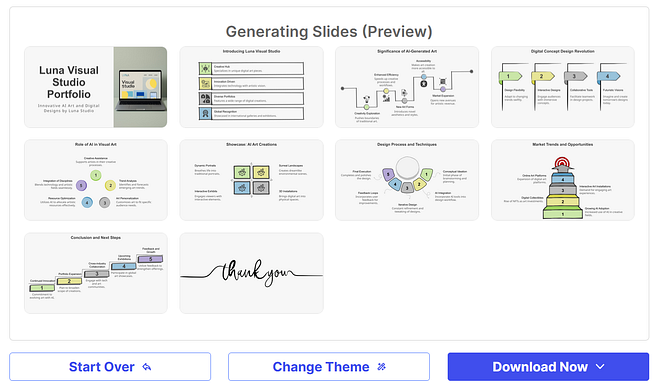
→ Result: cinematic layouts with dark backgrounds and image-focused design.
Smoothie Bar Pitch
Create a vibrant presentation for BlissBerry Smoothie Bar, highlighting brand story, menu, and sustainability plans.
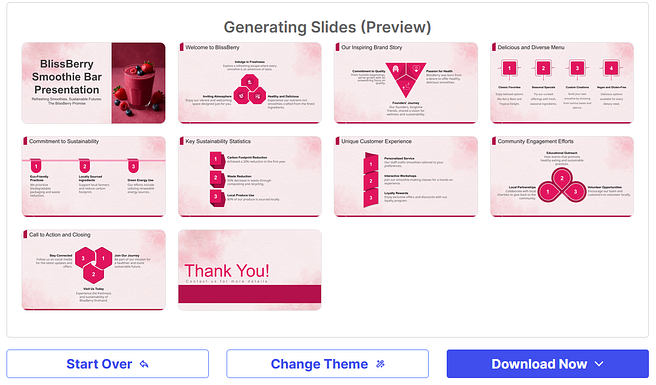
→ Result: bright, fruit-inspired colors and modern typography — great for a local business.
Vegan Chocolate Brand
Design a modern, elegant deck for CocoaKind Vegan Chocolates showing cacao sourcing, signature flavors, and retail strategy.
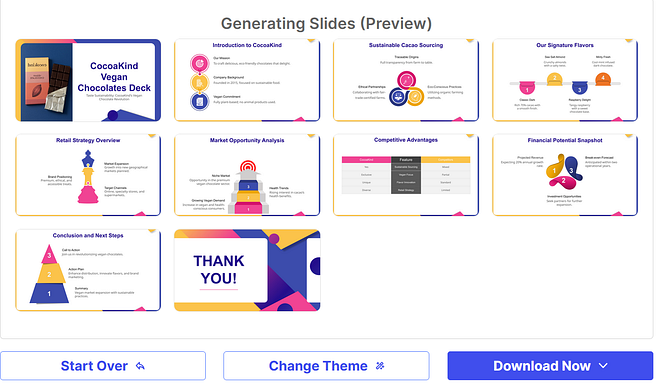
→ Result: warm, minimalist visuals that feel premium and eco-friendly.
Why It’s Effective
SketchBubble’s AI combines automation with user control. It speeds up slide creation while maintaining brand consistency and visual balance. Users can refine layouts, colors, and tone without needing advanced design skills.
Pricing Options
- Free Plan: Basic templates and limited exports
- Pro Plan ($19/month): Premium themes, advanced customization, and higher export limits
- Credit Packs: Flexible per-project usage
All plans allow exports to PowerPoint, PDF, and Google Slides while retaining full editability.
The SketchBubble AI Presentation Maker simplifies how professionals prepare presentations. It’s efficient, accurate, and adaptable — ideal for anyone who wants to convert ideas or data into clear, visually consistent slides within minutes.
What’s Next?
Want more tips and AI strategies? Subscribe to The AI Entrepreneurs newsletter for weekly tutorials, tools, and hacks to innovate smarter, faster, and better. Join 73K+ readers at AI Entrepreneurs — STANDOUT DIGITAL