A Comprehensive Midjourney Prompt Guide to Using Image Prompts and Style References
Midjourney is revolutionizing the way creatives and professionals use artificial intelligence to produce stunning visual content. By utilizing image prompts and style references effectively, users can guide the AI to generate visuals that not only match but also enhance their creative vision.
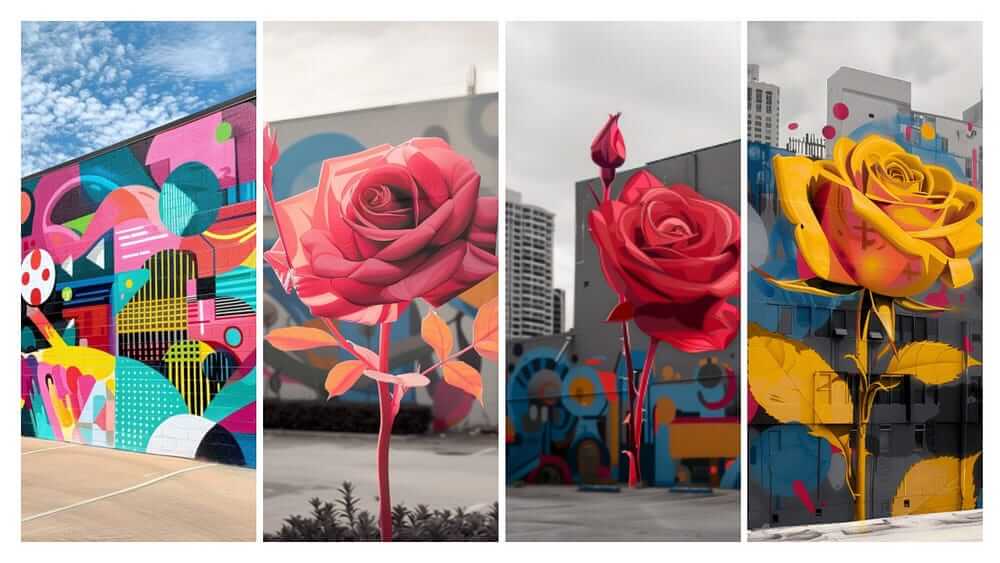
This detailed midjourney prompt guide will walk you through the process of using Midjourney’s features to create unique and compelling murals, suitable for various applications from artistic projects to marketing campaigns.
Step-by-Step Midjourney Prompt Guide
Step 1: Crafting Clear Image Prompts
- Begin with Clarity: Initiate your project by constructing a concise and descriptive prompt. Clearly outline the elements and scene you envision. For example, describe a cityscape during sunset rather than just a city.
Example Prompt:
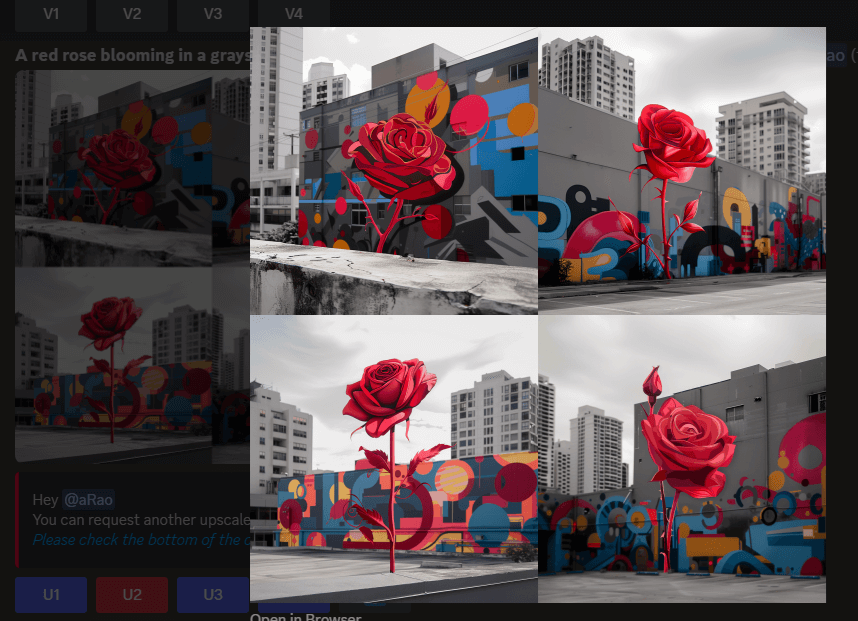
A [color] rose blooming in a grayscale Cityscape.

Step 2: Integrating Style References
- Specify Artistic Styles: Enhance your prompt by specifying an art style or emulating the technique of a renowned artist. This can be as specific as “in the style of Van Gogh” or as broad as “using abstract expressionist techniques.”
- Read this newsletter [link] to learn how to upload Style Reference Image to Midjourney.
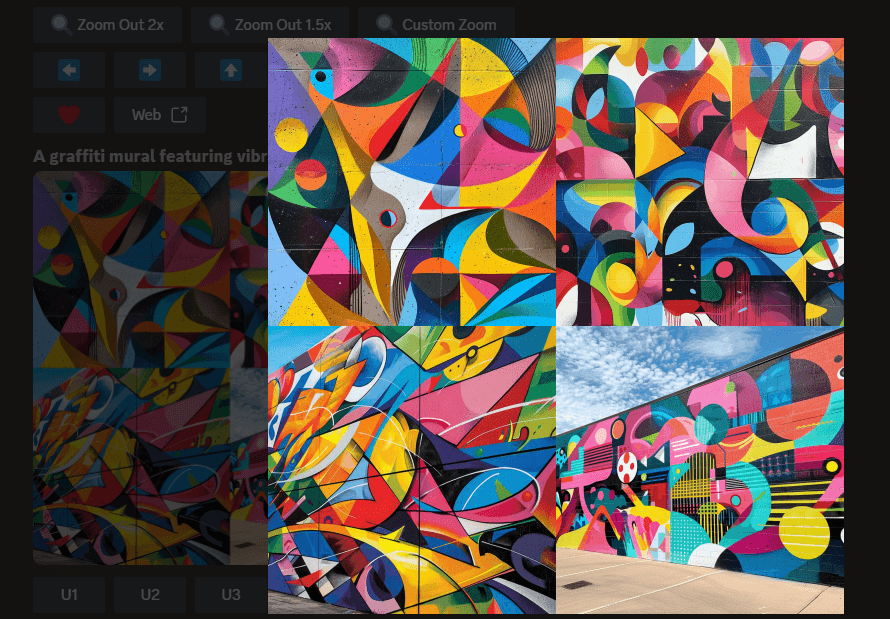
Example Prompt:
A graffiti mural featuring vibrant colors and abstract shapes.
Step 3: Utilizing Image References
- Employ Direct Visuals: If possible, upload an image that encapsulates the style or mood you aim to achieve. This will serve as a direct reference for the AI, ensuring higher accuracy in the output.
- Read this newsletter [link] to learn how to upload Style Reference Image to Midjourney.
Example Prompt: A [color] rose blooming in a grayscale cityscape –ar 16:9 –v 6 –sref[specific URL to image] https://s.mj.run/K1yrmJHWsm4
Step 4: Iteration and Refinement
- Iterative Feedback: After generating the initial image, assess its fidelity to your vision. Refine the prompt based on the AI’s output to better align with your objectives.
- Continuous Experimentation: Experiment with varying combinations of prompts and references to discover how nuances in input affect the artistic output.
Practical Use Cases for Midjourney
- Creative Design and Art: Artists can conceptualize and visualize ideas more efficiently, allowing for a smoother transition to actual creation.
- Marketing and Advertising: Generate visually arresting content tailored to specific campaigns, enhancing brand aesthetics and audience engagement.
- Educational Tools: Enhance educational materials with AI-generated images to better illustrate complex concepts and historical content.
Midjourney Prompt Guide: DIY
Step 1:
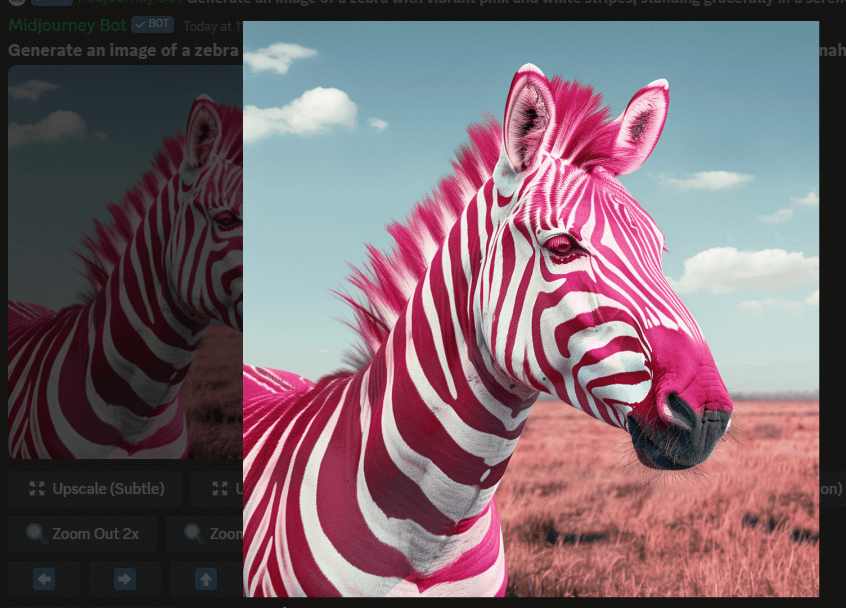
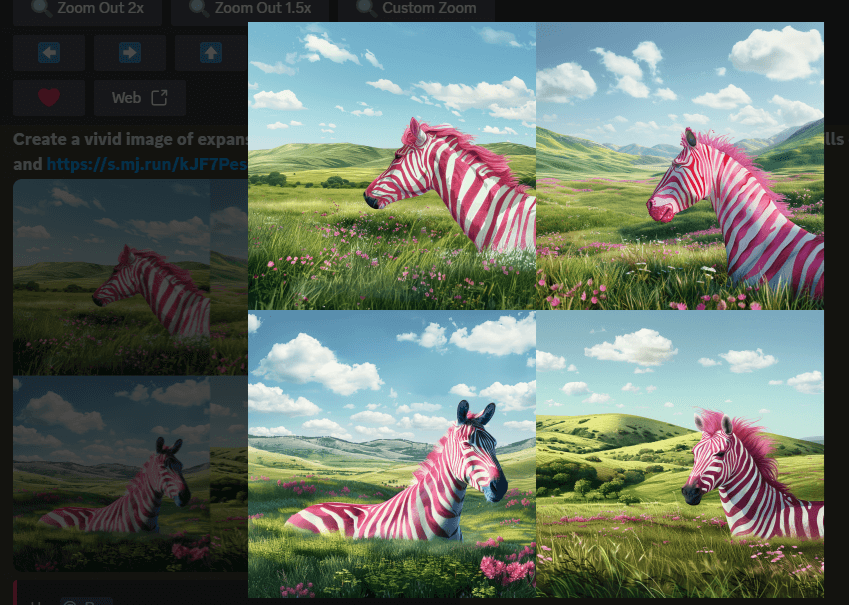
Prompt: Generate an image of a zebra with vibrant pink and white stripes, standing gracefully in a serene savannah landscape under a clear blue sky.
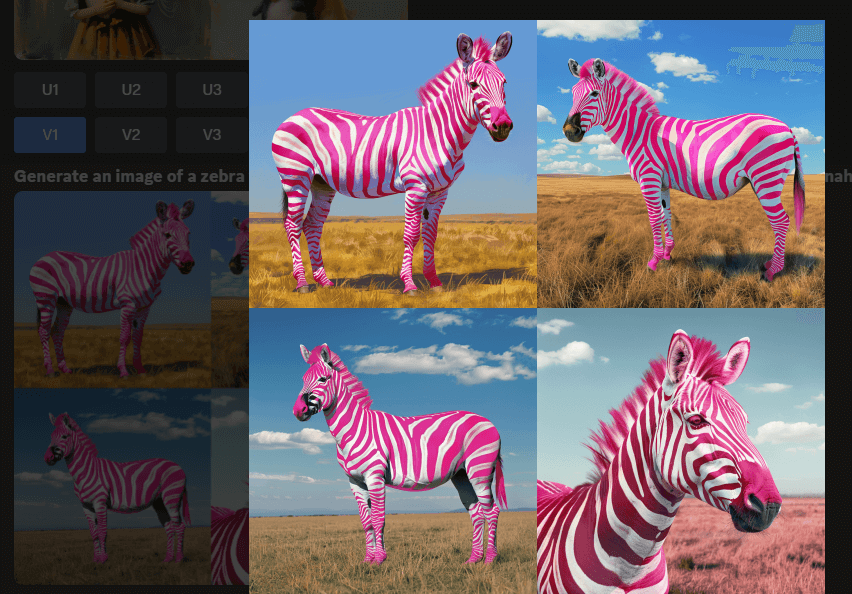
Image URL: https://s.mj.run/kJF7PescUGE
Step 2:
Prompt: Create a vivid image of expansive grasslands under a wide, clear sky. The scene should depict rolling hills covered with lush, green grass, dotted sporadically with wildflowers.
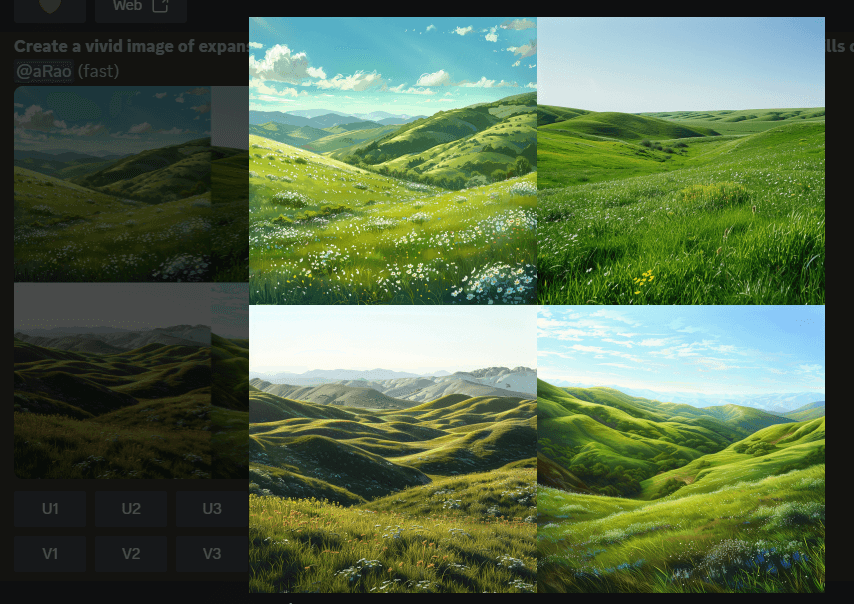
Step 3:
Prompt: Create a vivid image of expansive grasslands under a wide, clear sky. The scene should depict rolling hills covered with lush, green grass, dotted sporadically with wildflowers and https://s.mj.run/kJF7PescUGE
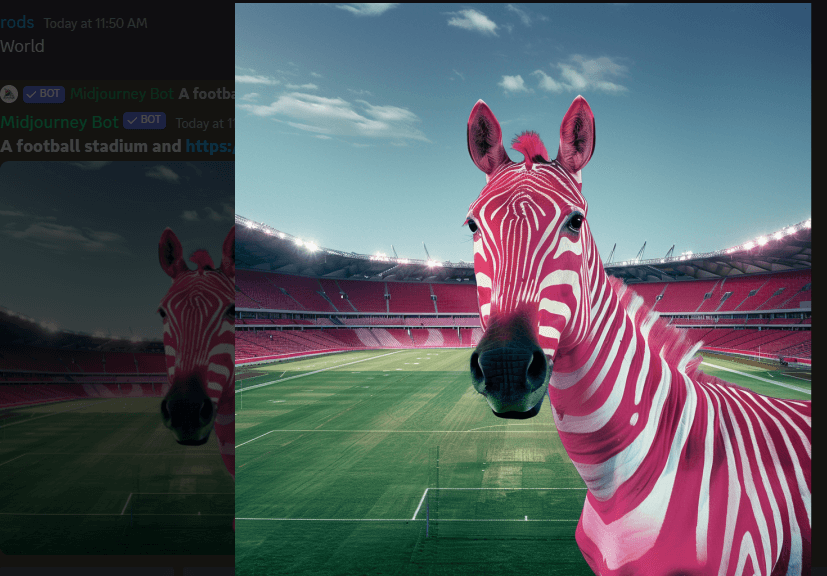
Prompt:A football stadium and https://s.mj.run/kJF7PescUGE
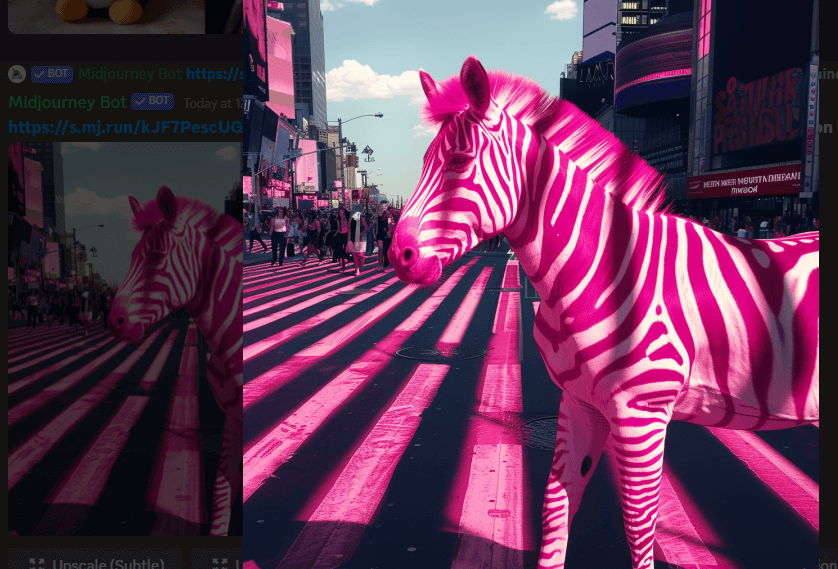
Prompt: https://s.mj.run/kJF7PescUGE Strolling through Times Square, where its pink stripes outshine the neon lights.
Prompt: https://s.mj.run/kJF7PescUGE Gatecrashing a fashion runway, turning heads with its bold pattern next to haute couture.
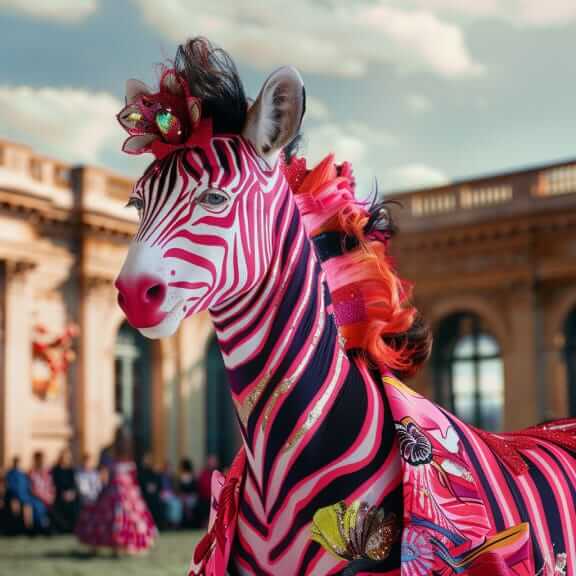
Mastering Midjourney’s capabilities to use image prompts and style references empowers users to produce highly customized and creative visuals. This tool is invaluable for artists, marketers, and educators who wish to harness the power of AI for enhancing visual storytelling and presentation.
By following this guide, you can explore the expansive possibilities of AI-driven imagery and elevate your creative projects to new heights.
Midjourney Prompt Guide FAQs
Q1: What is an image prompt in Midjourney?
A1: An image prompt in Midjourney refers to a text-based description that users provide to guide the AI in generating a specific image. It should be detailed and descriptive to get the best results.
Q2: How can I use style references in Midjourney?
A2: Style references are used to inform the AI about the artistic style you want your image to emulate. You can reference an art movement, a specific artist’s style, or any visual flair you prefer by including descriptive terms in your prompt.
Q3: Can I upload my own images as a style reference?
A3: Yes, Midjourney allows users to upload their own images to be used as a style reference, helping the AI understand the desired aesthetic more accurately.
Q4: How do I combine image prompts with style references?
A4: To combine them, provide a clear image prompt and include descriptive keywords or phrases that reflect your style reference within the same instruction.
Q5: What makes a good image prompt? A5: A good image prompt is clear, concise, and descriptive. It includes key details about the subject, setting, colors, mood, and any specific elements you want in your image.
Q6: How specific do I need to be with style references?
A6: The more specific you are, the better the AI can adhere to your desired style. Mention specific artists, art movements, or visual effects you want to mimic.
Q7: Are there limitations to the types of style references I can use?
A7: Generally, you should avoid referencing copyrighted or trademarked styles directly. Instead, describe the style’s characteristics or use adjectives that convey the essence of the style.
Q8: Will Midjourney always generate an image that perfectly matches my prompt and style reference?
A8: While Midjourney aims to be as accurate as possible, the AI interpretation of your prompt and style reference may not always be perfect. It’s often a process of iteration and refinement.
Q9: Is it possible to edit an image after it’s generated by Midjourney?
A9: Midjourney generates images based on prompts, but editing the output image would require an external image editing tool.
For more insights and tips on integrating AI into your content strategy and overall business, subscribe to our FREE newsletter and join a community of 62K+ forward-thinking creators. Subscribers will get 100 ChatGPT prompts, a FREE AI writer to go viral on social media, and Our FREE “Building A Minimum Viable Business in Record Time” Course, all for FREE. Subscribe Now.